
Use a phone number you already own to place outbound voice calls without first adding a new managed number. After verifying ownership, you can select the number as your caller ID and start calling leads or customers. Using the number for outbound calling does not move or port it; the number continues to be managed by its current provider.
TABLE OF CONTENTS
- What Is Calling With Your Existing Phone Number?
- Set Up Calling With Your Existing Phone Number
- Frequently Asked Questions
- Need Help?
What Is Calling With Your Existing Phone Number?
This option lets you use a verified phone number you already own as the caller ID for outbound voice calls. It is useful when you want to start calling without first purchasing or adding a new managed phone number.
Set Up Calling With Your Existing Phone Number
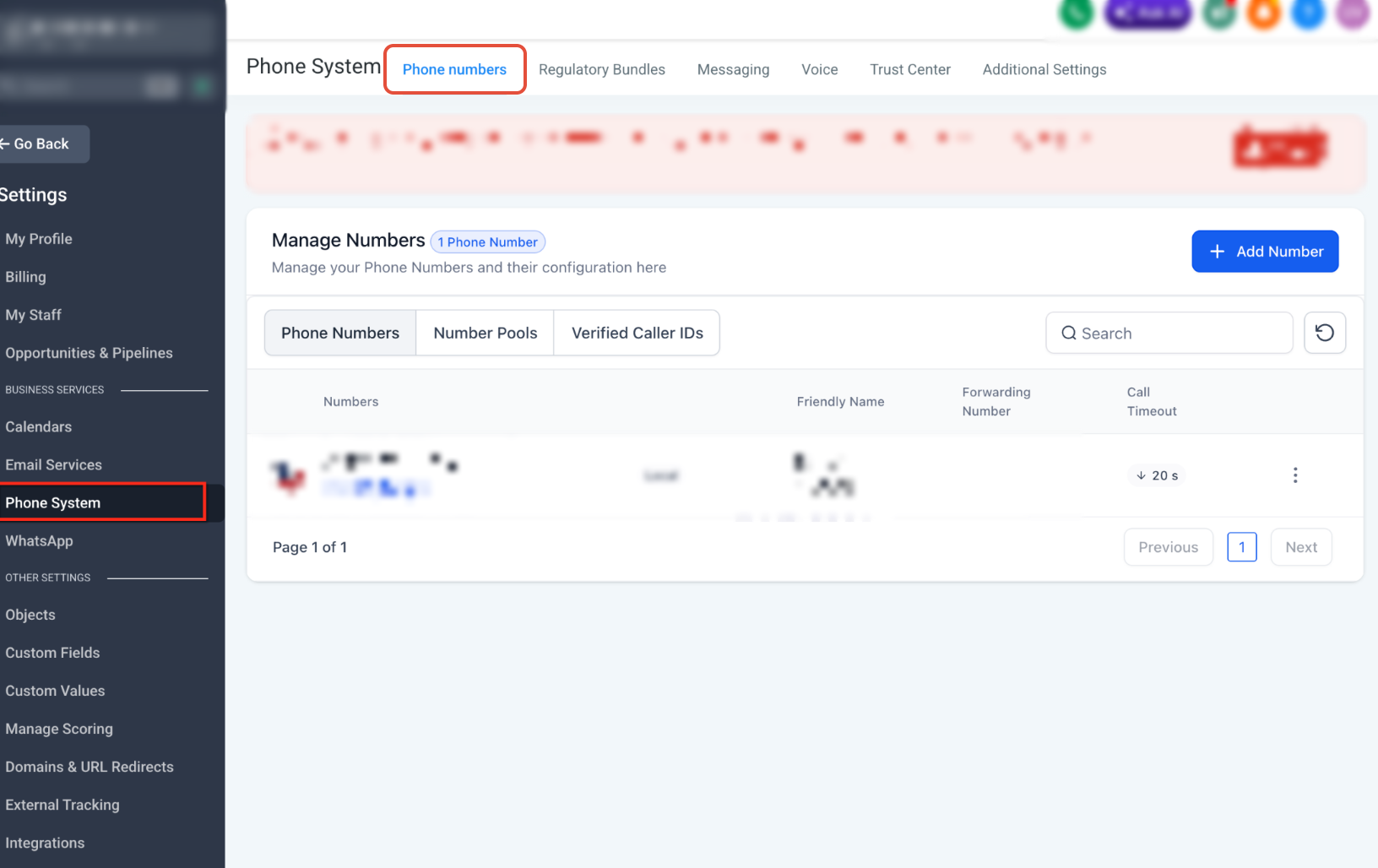
Step 1: Open Phone System Settings
From the Sub-Account view, go to Settings and open Phone System.
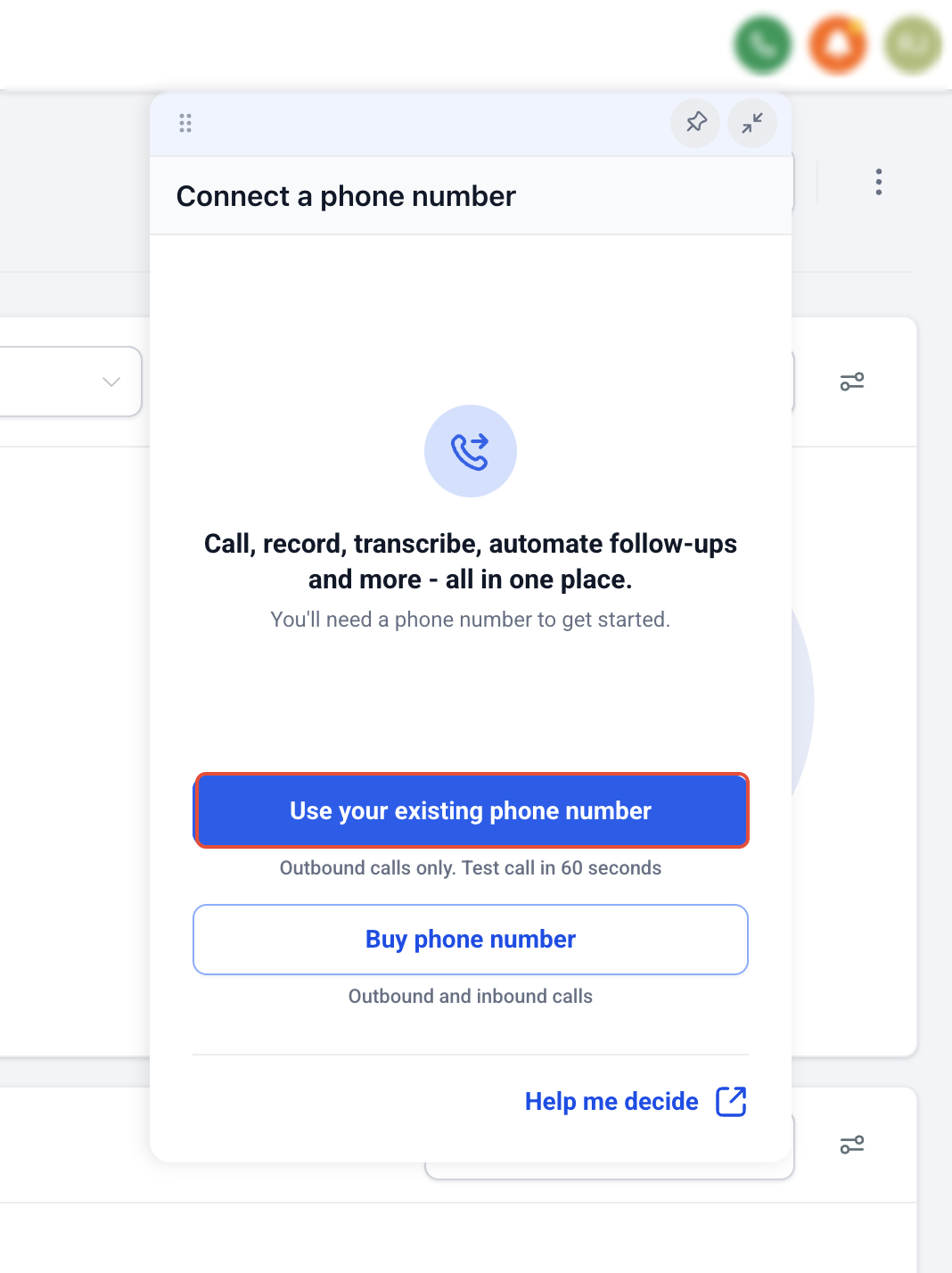
Step 2: Add Your Existing Number
Select the option to use an existing phone number, then enter the number you own.
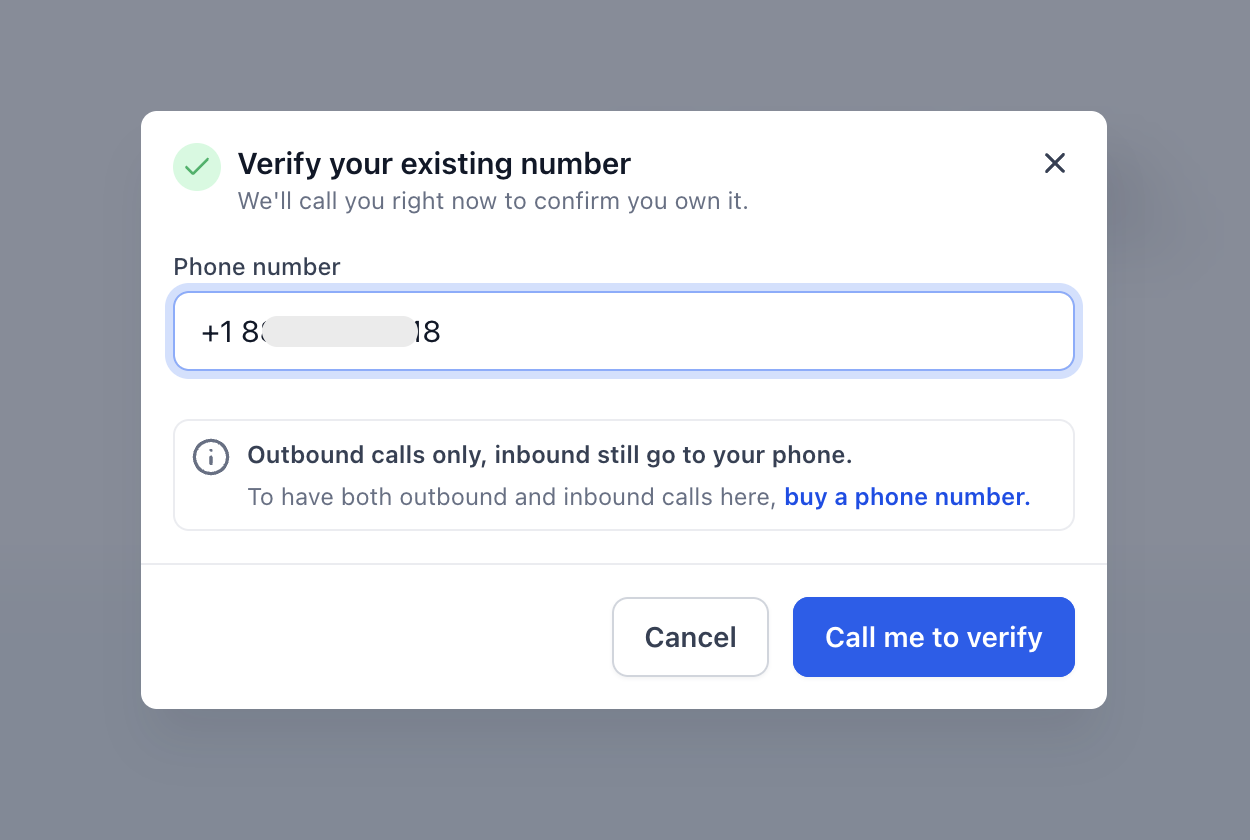
Step 3: Verify the Phone Number
Complete the verification process shown on-screen. If verification is completed by phone call, make sure you can answer the call on the number you entered.
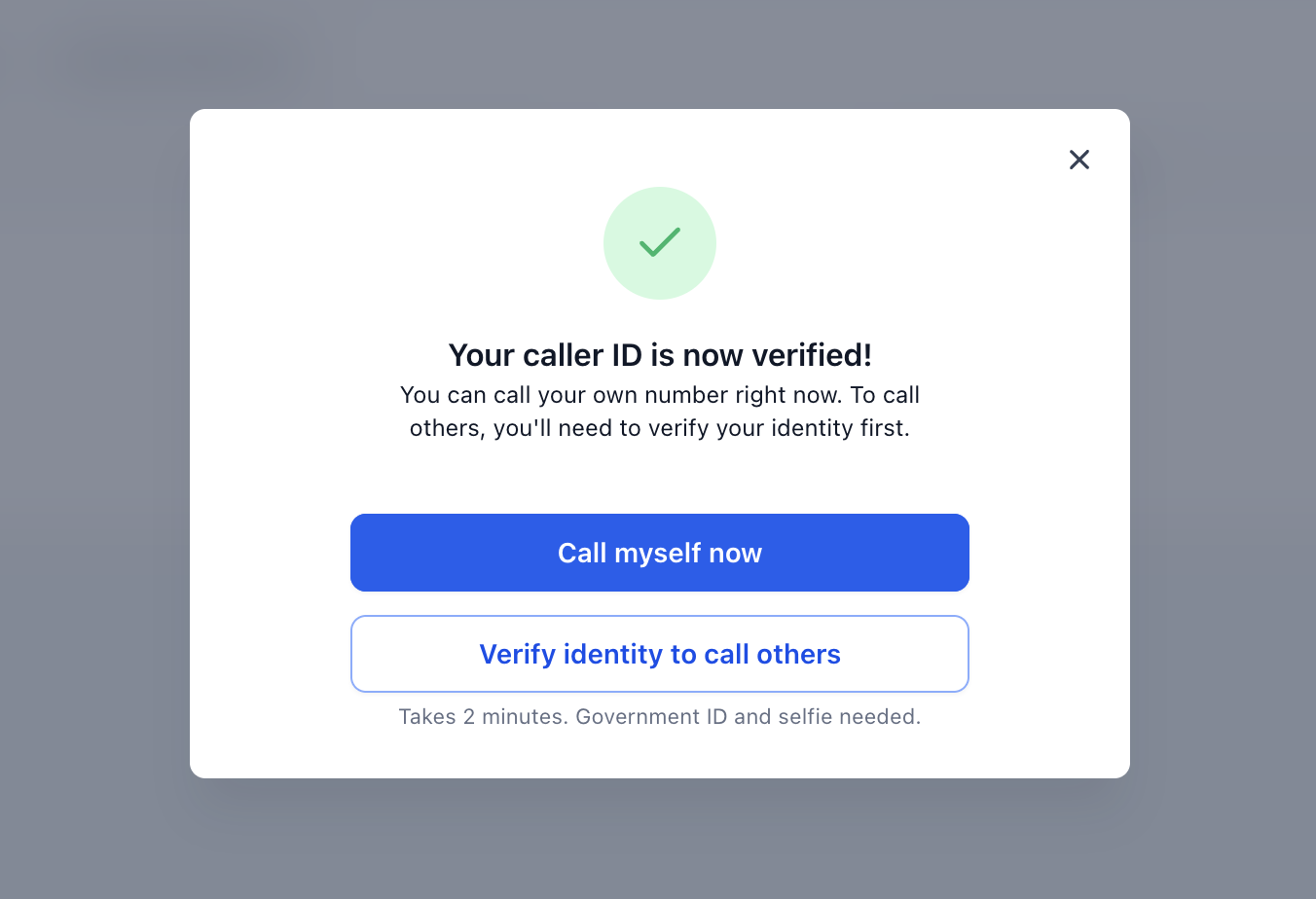
When prompted, enter the verification code provided during the call to confirm ownership of the number.
Step 4: Place an Outbound Call
- Open the dialer.
- If the Calling From dropdown appears, select your verified existing number.
- Enter the destination phone number or select a contact.
- Place the call.
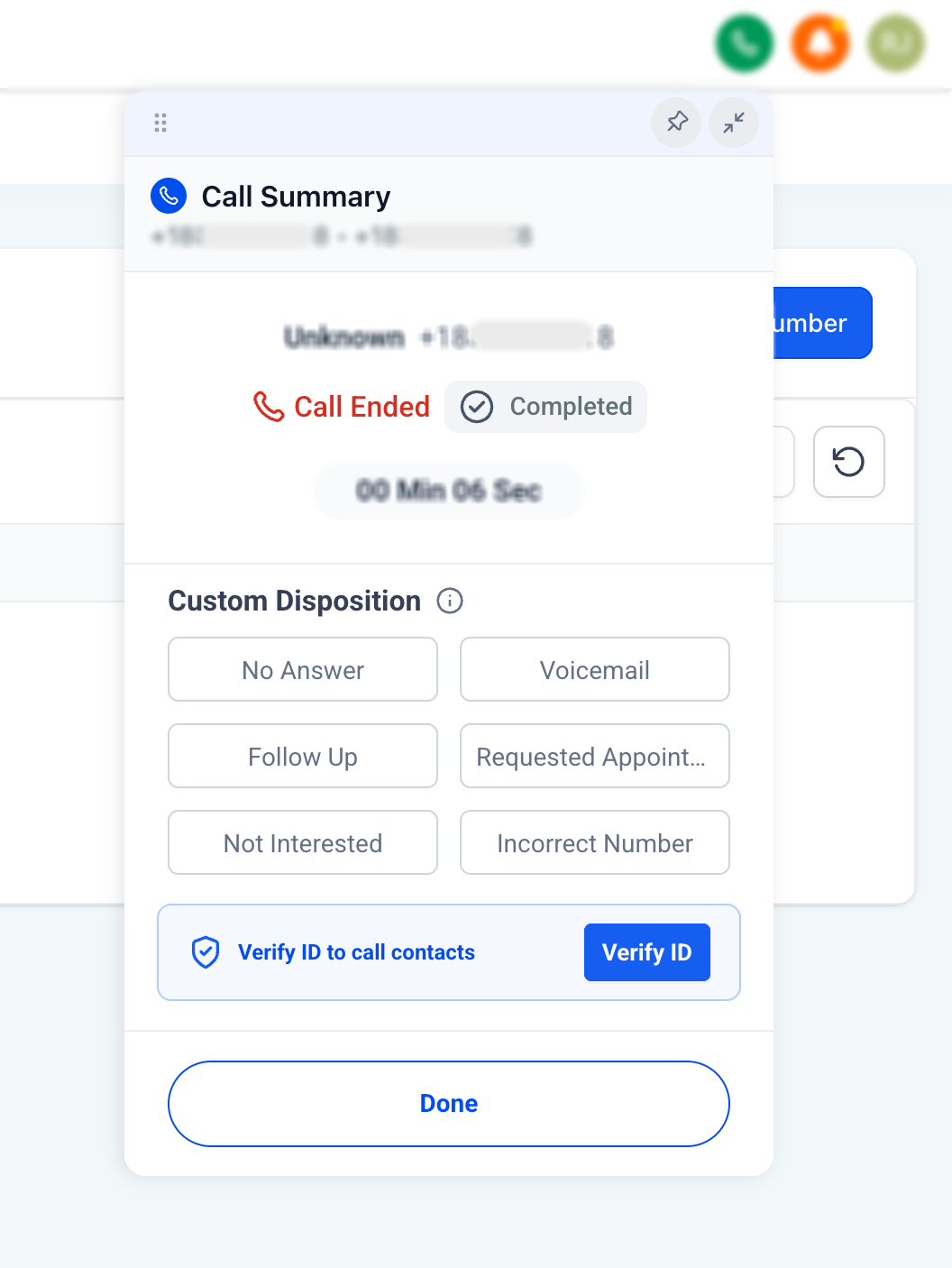
Outbound calls may be subject to usage tracking and billing based on your phone configuration. Review the billing and usage information available in your account settings.
Frequently Asked Questions
Q: Do I need to add a new managed number before making outbound calls?
No. You can place outbound voice calls using a phone number you already own.
Q: Can I use any phone number I own?
You can add and verify an eligible number you own using the available setup flow. If the number cannot be verified, the setup process will indicate that.
Q: Is this the same as moving or porting my phone number?
No. This setup lets you use the number for outbound calling without changing where the number is managed.
Q: Can I change my phone setup later?
Yes. Using an existing number for outbound calling does not prevent you from adding or moving a phone number later.
Need Help?
If you cannot verify your number or place an outbound call, verify that:
- You are working in the correct Sub-Account.
- You currently own and control the phone number.
- The number can receive the verification call when required.
- The verification code was entered correctly.
- The verified number appears in the Calling From selector.
- The destination phone number is entered correctly.
- Your browser or device has microphone access when required.
If the issue continues, collect the phone number, verification status, destination number, selected caller ID, call date and time, error message, and relevant screenshots before contacting support.